bd267 Loginin three quick taps
Sign in with the mobile number you registered and the password you chose. This page covers the form, the usual errors, and what to do when a password will not go through.
- Works in any browser on Android, iPhone and desktop.
- One account for slots, cricket and live tables.
- Live chat is open at any hour of the day.
Five habits that keep your bd267 account safe
Most locked accounts are not hacked. They are lost, guessed or shared, and a few minutes of care now saves a slow recovery later.
-
Use a password nobody can guess
Mix letters, numbers and a symbol, and keep it away from your NID number or birth date. If the same password already guards bKash or Facebook, set a new one here so a single leak cannot reach two accounts.
-
Stay on the number you registered
bd267 login always checks the mobile number on the account. If your SIM is lost or you move to a new number, write to 24/7 Live Chat before you try to sign in again, not after.
-
Skip public Wi-Fi for sign-in
Tea stall, bus and market networks can be watched by anyone on the same line. Use your own mobile data for the form. The page is light, so it loads fine on a phone bundle.
-
Never share a code or a screenshot
Staff never ask for your password or an SMS code, in chat or on the phone. A screenshot of a logged-in lobby shows your balance and your number, so crop it before it goes into any group.
-
Log out on borrowed phones
Cricket season means borrowed handsets. Tap Log out when you finish and leave Remember me unticked on anything that is not yours. A locked screen is not the same as a logged-out account.
Mobile number, username or the app: which door to use
All three routes open the same account with the same balance. The difference is what you type and where you type it, so pick the one that matches the device in your hand.
| Sign-in route | What you enter | Where it works | Best for |
|---|---|---|---|
| Mobile number | The 11-digit number from sign-up, then your password | Mobile browser, desktop, app | Everyday logins from your own phone |
| Username | The short name you chose at sign-up, then your password | Browser on phone or laptop | Typing on a laptop keyboard |
| bd267 app | Number and password once, then a saved session | Android 8.0 and above | One-handed play on mobile data |
A forgotten username is not a locked account. Use the mobile number route instead, or ask live chat to confirm the username that belongs to your NID.
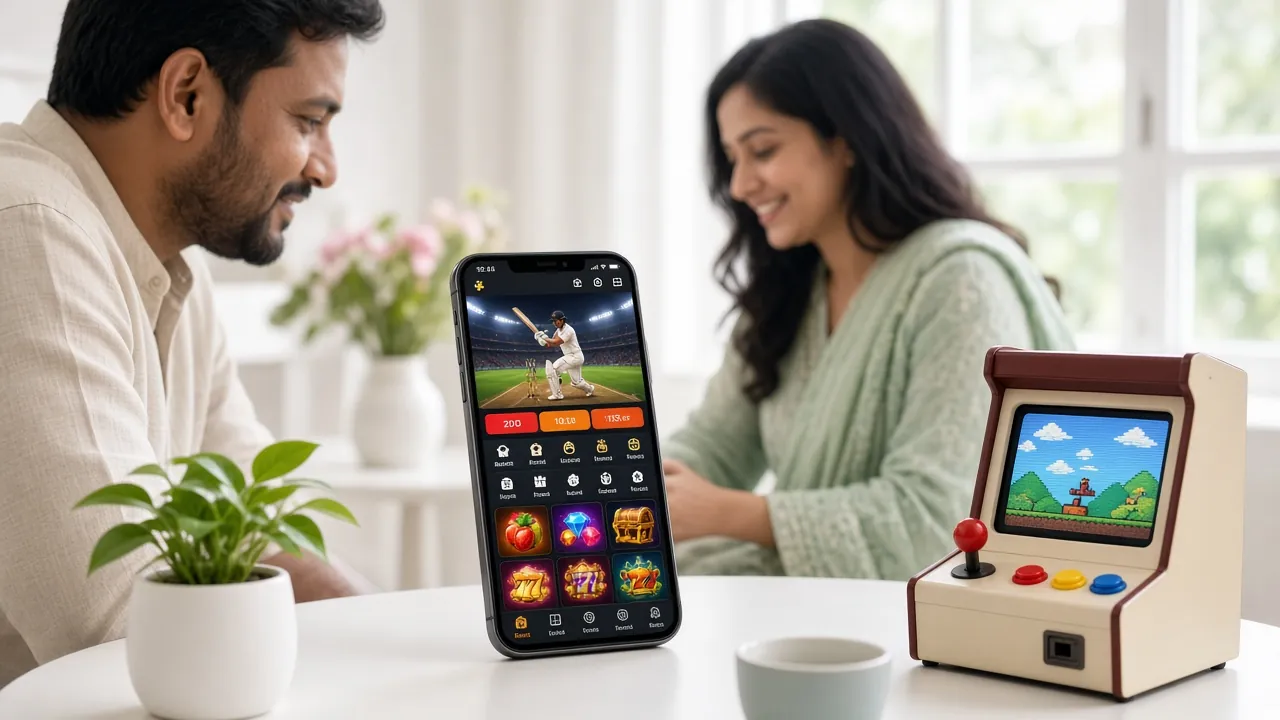
The app skips the typing after the first sign-in
Version 2.4.19 is a 28 MB file for Android 8.0 and above. Sign in once and the next session opens on the lobby, which is quicker than loading a browser tab on a slow line. Take the file from our own app page, never from a mirror site or a forwarded link.
Get the bd267 appWhen bd267 login fails, check these six things
Read the line that matches what you see on screen. Almost every failed sign-in is one of these six, and the fix usually takes less than a minute.
| What you see | Usual cause | What to do |
|---|---|---|
| Wrong number or password | An extra space, the wrong keyboard language, or a number saved with +88 in front | Retype both fields by hand. Use the 11-digit number starting 01, with no +88 and no dashes. Passwords are case-sensitive, so switch the keyboard to English letters and check Caps Lock before you press Log In. |
| No SMS code arrives | Weak signal, a full inbox, or the message filtered into spam | Wait a minute, then request a new code once. Check spam and blocked senders, restart the phone, and move to a spot with better coverage. A code sent to an old number that is no longer in your phone will never arrive. |
| The form returns to the same screen | The password has been refused several times, or a browser extension is blocking the form | Stop guessing and open 24/7 Live Chat. An agent can confirm the number on file and help you reset the password with a code to that number. Keep trying on a blocked form and you only lengthen the wait. |
| The lobby loads but stays grey | Slow data, a switched-on VPN, or an old cached copy of the page | Turn off the VPN, clear the browser cache and reload. If you are on a shared line, switch between Wi-Fi and mobile data. In the app, close it fully from the recent-apps list and open it once more. |
| The app logs you out constantly | Battery saver stopping background apps, or the session ending on another device | Allow the app to run in the background and check that nobody else is using the account. If your build is older than 2.4.19, update from the bd267 app page before you report a fault. |
| One game refuses to open | The provider window is blocked, or the game file is heavy for your connection | Allow pop-ups for the site or open the game inside the app. Live tables take longer to start than slots on slow data. If a single title will not load, pick another from the casino lobby and tell chat the name. |
Never send your password to anyone in chat, and never install a browser extension that offers to “auto-login” for you. There is no such tool.
How to log in to bd267 on a phone
Four steps, in order, from a locked screen to the lobby. The whole thing takes less time than reading this paragraph twice.
-
Open the sign-in page
Type bd267.ws in the browser and tap Login, or bookmark this page so you skip the search results. It opens on Android, iPhone and desktop without an install.
-
Enter your mobile number
Use the 11 digits you registered with, starting 01, and nothing else. The field takes numbers only, so the phone keypad appears instead of the full keyboard and the typing stays quick.
-
Type the password and check it
Passwords are case-sensitive. Read the letters once before you submit, then tick Remember me only if the phone stays in your pocket all day and nobody else uses it.
-
Tap Log In and pick a game
The lobby opens on the same screen with your balance on top. Slots start fastest, live tables take a little longer. Deposits from ৳100 usually show within 6 minutes.
Locked out? Get a new bd267 password
If the password is gone, do not create a second account. Three steps put you back on the same account, with the same balance and the same bonus history.
-
Tap Forgot password under the form
The link sits beside Remember me. It asks for the mobile number on your account, so keep that SIM in the handset while you work through it.
-
Confirm the SMS code
A short code goes to that number. Enter it on the page inside the time shown. If nothing arrives, read the SMS row in the table above before you ask for a third code.
-
Set a new password and sign in
Choose something you have not used on other sites, then log in once to confirm it works. Still blocked? 24/7 Live Chat can look at the account with you and check the number on file.
Quick answers about bd267 login
Can I log in with a username instead of my mobile number?
Yes, if you picked a username at sign-up. It goes in the same field where you would normally type your number, and the password stays the same. The app takes the mobile number only, so keep that SIM active if you plan to play on a phone.
Why does bd267 login say my password is wrong when I know it is right?
Nine times out of ten a stray space or a capital letter is the problem, and the browser hides it behind dots. Type the password into a notes app first and compare it letter by letter. If it still fails, reset it rather than guessing again.
The SMS code is not arriving. What else can I try?
Check the inbox for the number on your account, not the SIM in your second slot. Move that SIM to another handset, restart it, and request one new code. If nothing comes, ask 24/7 Live Chat to reset you through the number on file.
Is it safe to log in on a friend's phone?
For a few minutes, yes, if you log out afterwards and leave Remember me unticked. Close the tab as well. Never sign in on a shop handset or a cyber café machine, and change the password straight away if you think the device stored it.
Does the app keep me signed in between sessions?
Only if you allow it. The first sign-in asks for number and password, and after that the app can hold the session open until you log out. On a shared phone, log out every time and keep version 2.4.19 installed.
What should I do right after the first successful login?
Add a deposit from ৳100 and the welcome bonus applies to that first one. Withdrawals start at ৳500 and KYC is checked before your first payout, with a review that usually takes about 2 hours. Chat answers questions at any hour.